
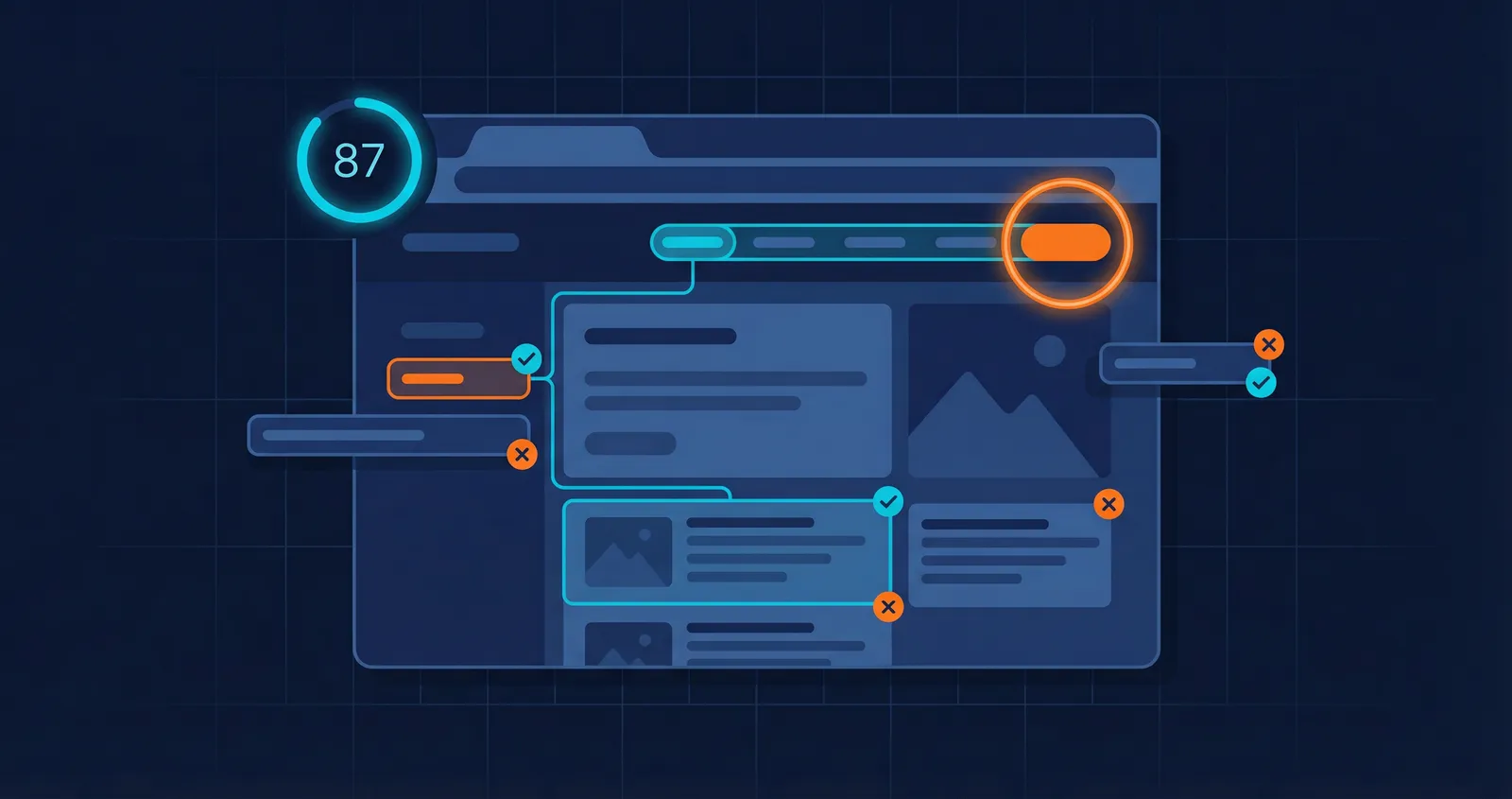
Most accessibility testing tools do one of two things: they scan the DOM for programmatic violations, or they ask a human to tab through the page and check focus order. The first is fast but shallow. The second is thorough but expensive.
We wanted both. So we built an accessibility agent that combines automated scanning with AI-powered behavioral testing - and produces a single, actionable report.
The problem with static-only scanning
Tools like axe-core are excellent at catching low-hanging accessibility issues. Missing alt attributes, broken ARIA roles, insufficient color contrast, empty form labels - the kind of stuff that lives in the DOM and can be detected programmatically. Every team should be running these scans.
But static analysis has a ceiling. It can't tell you:
- Whether your modal traps keyboard focus correctly
- If the skip-to-content link actually works
- Whether focus moves to a logical place after form submission
- If a custom dropdown is operable with arrow keys
- Whether dynamically injected content has
aria-liveregions
You can't find these by reading the DOM. You have to actually use the page.
How our accessibility agent works
When you run an accessibility test on Test-Lab, two things happen - not one.
1. axe-core runs first
Before the AI agent does anything, we navigate to your target URL and run a full axe-core scan. axe-core is the industry-standard open-source accessibility engine (used by Google, Microsoft, and most browser DevTools). It checks against WCAG 2.2 success criteria and catches the programmatic stuff fast.
We inject axe-core via Playwright's --init-script, which means it loads on every page automatically and survives navigations. No browser extensions needed, no client-side SDK to install.
In Quick mode, the scan targets WCAG Level A and AA rules. In Deep mode, it also includes AAA criteria and best-practice rules for a more thorough audit.
2. The AI agent handles behavioral testing
We feed a summary of the axe-core findings into the AI agent's context with explicit instructions: "These violations are already captured. Don't re-test them. Focus on behavioral testing only."
The agent then does what a human auditor would do, but faster:
- Tabs through every interactive element to verify logical focus order
- Tests keyboard traps in modals, dropdowns, date pickers, and embedded widgets
- Checks focus indicators on custom-styled components where
outline: nonemight be hiding them - Verifies skip links exist, appear on focus, and actually skip to content
- Opens and closes modals to check if focus returns to the trigger element
- Submits forms to see where focus goes after validation errors or success
- Inspects the DOM with
browser_evaluateto check foraria-live,tabindex, androleattributes on dynamic content
Every issue it finds comes with a CSS selector, HTML snippet, WCAG criterion, and a suggested code fix you can copy-paste.
The report
We built a dedicated accessibility report for this - it's not the functional test report with different labels.
The headline is a 0-100 score that blends automated findings (60% weight) and behavioral findings (40% weight). A page can pass every axe-core rule and still score poorly if the keyboard experience is broken.
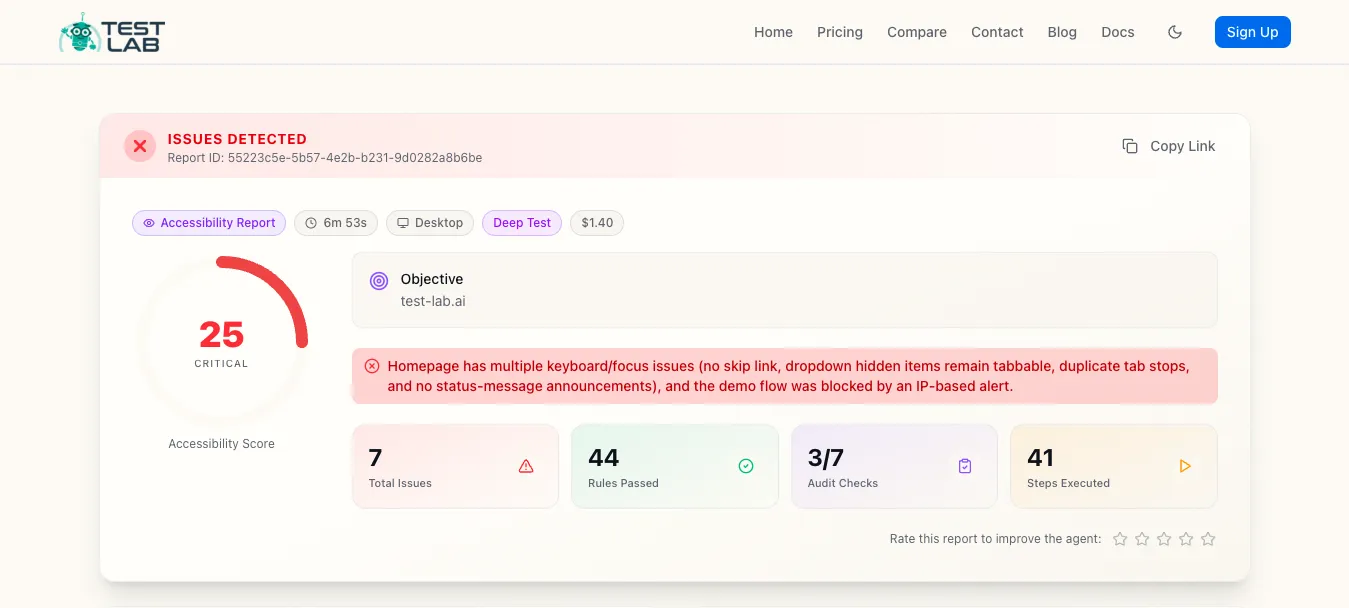
Below the score you get severity distribution, category breakdown, and a WCAG principles grid showing which of the four pillars have issues:
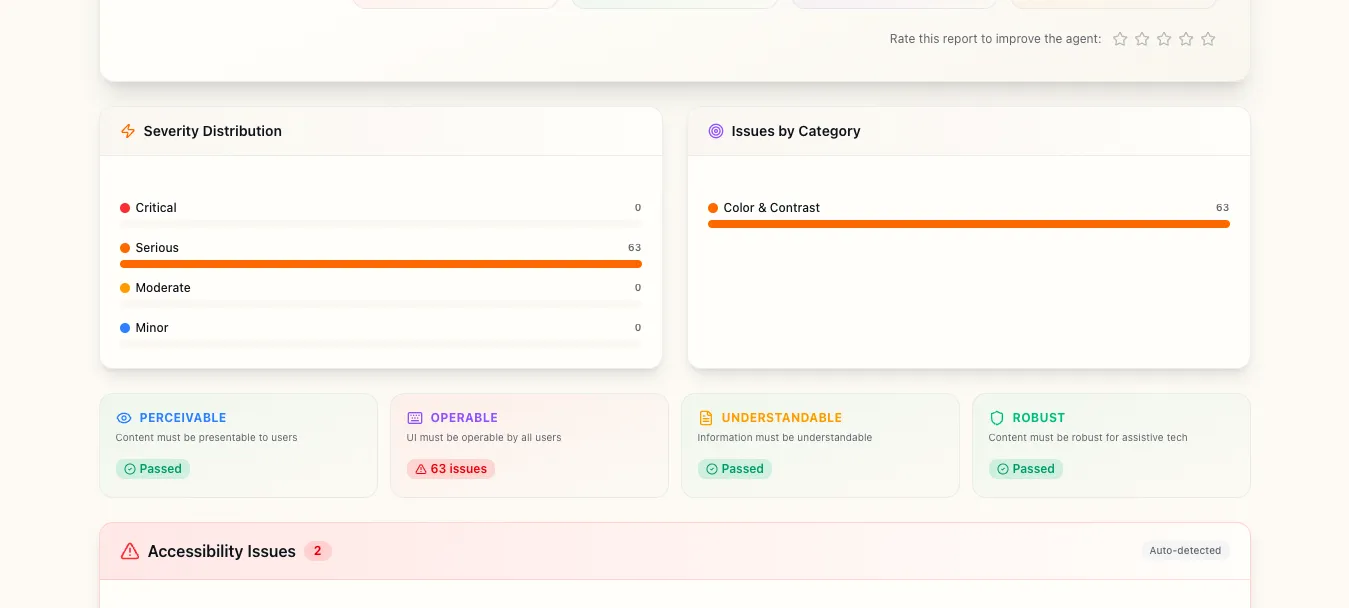
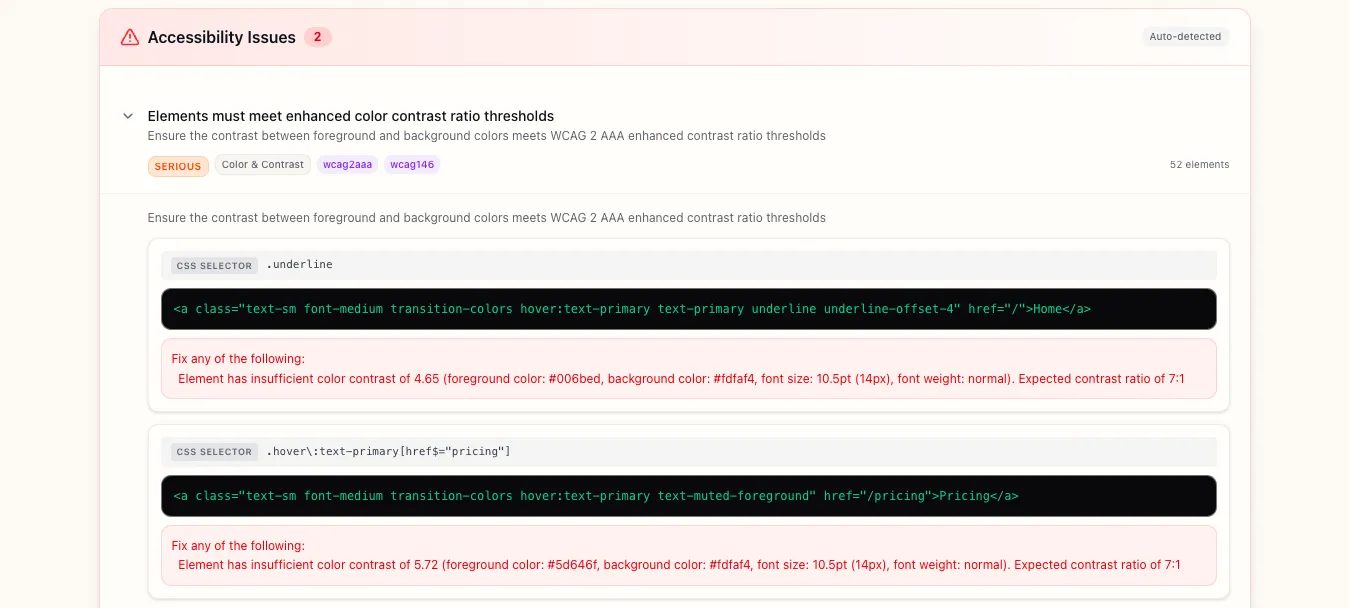
The axe-core violations are expandable. Click any rule to see every affected element with its CSS selector, HTML snippet, and exact contrast ratio:
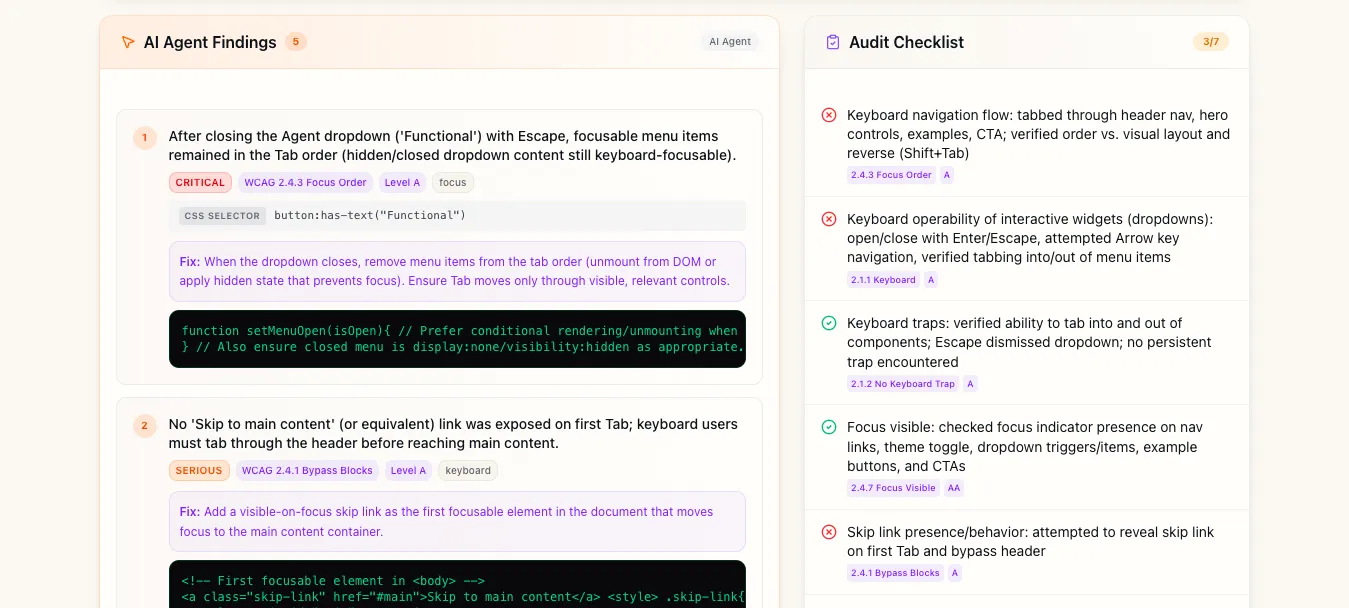
Next to the automated findings, you get AI agent findings and the audit checklist side by side:
- AI agent findings - behavioral issues from the keyboard walkthrough, ordered by severity, with concrete fixes instead of vague recommendations.
- Audit checklist - every check the agent performed, pass/fail, with the relevant WCAG criterion.
Quick mode vs Deep mode
Quick mode focuses on a single page. The axe-core scan covers WCAG A/AA rules, and the AI agent does a focused keyboard pass - tab through interactive elements, check focus visibility, test any modals or dropdowns. Runs in 2-4 minutes.
Deep mode is a thorough audit. axe-core checks A/AA/AAA plus best-practice rules. The AI agent does a full behavioral walkthrough - every interactive pattern, reverse tab order, dynamic content announcements, form submission flows. If you navigate to new pages during testing, each page gets its own axe-core scan automatically. Runs in 5-10 minutes.
Both modes produce the same structured report. The difference is coverage depth.
Why this matters
WCAG 2.2 is the current standard. Accessibility lawsuits keep climbing. But compliance aside - accessible software is just better software. Clear focus indicators help sighted keyboard users. Logical tab order helps power users. Proper ARIA attributes help everyone who uses assistive tech.
Most teams already know this. The bottleneck isn't motivation, it's that manual audits are slow, expensive, and hard to repeat. Automated scanners catch half the picture. Hiring a consultant for every sprint isn't realistic.
With Test-Lab it's the same effort as running any other test - paste a URL, click run. You get a report covering both static violations and behavioral issues, with enough detail to actually fix things.
Try it
Want to see what a real report looks like? Here's an accessibility audit we ran on our own homepage - yes, we found issues on our own site too.
Accessibility testing is available now on all plans. Head to your dashboard, select "Accessibility" as the agent type, and run a test against any URL. The $3 free credit every new account gets is more than enough to run several accessibility audits.
If you're already running functional tests with Test-Lab, adding accessibility coverage is one dropdown change. Same infrastructure, same reports, same CI/CD integration.
We're shipping improvements to the accessibility agent weekly - better ARIA widget detection, screen reader simulation, and more granular WCAG criterion mapping. If you find something the agent misses, we want to hear about it.