
Most test plans start small. "Test the login flow." "Check the checkout page." Then someone adds "and also verify the dashboard, and make sure the settings page loads, and check the footer links." Before you know it, you have a single test plan trying to cover six different user flows in one run.
These bloated plans cost more, take longer, fail more often, and when they do fail, it's hard to tell which part actually broke.
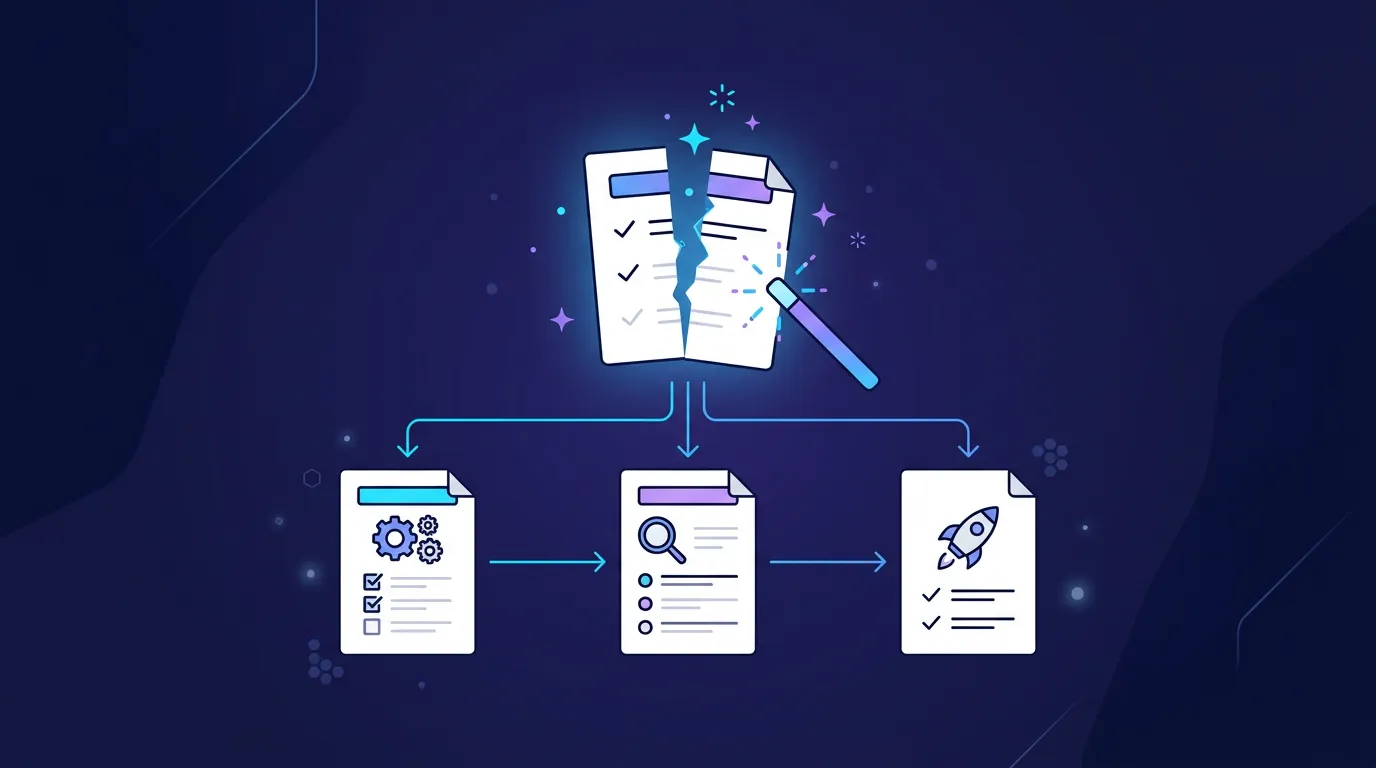
We built an AI analyzer that reviews your test plans and tells you exactly how to fix this. It suggests how to split them, which ones can run as cheaper quick tests, and where to extract reusable setup steps into pipelines. Then it implements the changes for you in one click.
What the analyzer does
Click "Analyze for improvements" on any test plan. The AI reviews your prompt, test type, device configuration, and recent run history. A few seconds later, you get a recommendation.
The analyzer looks for four things:
- Multiple flows crammed into one plan - Login, browse, checkout, and admin panel all in one test? That should be four separate plans.
- Using Deep Test when Quick Test would work - Simple navigation checks and single-form flows don't need the heavy model.
- Repeated setup steps - If five plans all start with "log in as admin," that should be one reusable pre-step.
- Long prompts trying to do too much - Focused prompts produce more reliable results and cost less to execute.
If your plan is already well-structured, the analyzer says so. No unnecessary changes.
Real numbers
We've run this across real test plans in production. Here's what the data looks like.
Analysis is nearly free. Each analysis costs 1-5 cents, with the average sitting around 2 cents. That's less than a single Quick Test run.
44% of plans had room for improvement. Out of all plans analyzed, nearly half got actionable suggestions. The rest were already well-structured.
Suggested savings average 30-50%. The most common recommendation is splitting a Deep Test into multiple Quick Tests. Deep Tests typically cost 70 cents to a dollar per run. Quick Tests average around 9 cents. That's a massive cost difference per run, and it compounds fast on scheduled tests.
The worst offenders save 50-70%. Plans that try to cover entire application flows in a single Deep Test - navigation, auth, forms, responsive layout, edge cases - get split into 5-8 focused plans. Most of those run as Quick Tests. The total cost drops dramatically, and reliability goes up because each plan has a clear, narrow scope.
Fewer retries. This is the hidden savings. When a monolithic plan fails, you re-run the whole thing. When a focused plan fails, you re-run just that piece. Less wasted spend, faster feedback on what's actually broken.
One-click implement
The analyzer doesn't just tell you what to change. It does the work.
Click "Implement" and it:
- Creates new test plans with copy-paste-ready prompts
- Sets the right test type (Quick or Deep) for each one
- Wires up pipeline pre-steps where plans depend on each other (like login before checkout)
- Labels everything "AI-Optimized" so you can track what's been tuned
No manual copying of prompts. No figuring out which plan depends on which. The pipeline is ready to run.
A real example
We had a test plan called "Schedules - create, disable and delete." It combined three distinct CRUD operations into a single Quick Test: create a schedule, disable it, then delete it.
The analyzer split it into three focused plans - one for each operation - and wired them together as a pipeline with shared browser state. Each plan is smaller, easier to debug, and when the delete step fails, you don't have to re-run the create and disable steps to find out why.
This is a simple case. For larger plans - the kind that cover login, navigation, form submissions, responsive checks, and error handling in one prompt - the split is more dramatic. We've seen single Deep Test plans get broken into 7-8 focused plans, most running as Quick Tests, with the expensive Deep Test mode reserved only for the flows that actually need it.
It runs automatically
You don't have to remember to analyze your plans. The system runs in the background and flags plans that could be improved.
When improvements are found, you'll see a sparkles icon next to the test plan name. Click it to review the suggestion, see the reasoning, and decide whether to implement or dismiss.
Plans that have already been optimized get a green "Optimized" badge. No noise, no repeated suggestions.
How to think about test plan structure
The analyzer follows the same principles from our test plans documentation:
- One flow per plan. Test login separately from checkout. Test the happy path separately from edge cases.
- Right-size the test type. Quick Test for straightforward flows. Deep Test only when you need thorough edge case coverage.
- Extract shared setup. Login, account creation, data seeding - anything multiple plans need should be a reusable pipeline pre-step.
The analyzer enforces these patterns automatically. If you're not sure whether your test plans are structured well, just run the analysis. It's a 2-cent sanity check.
The cost math
Let's say you have 10 test plans running on a daily schedule.
Without optimization, assume a mix: 5 Deep Tests at ~85 cents each and 5 Quick Tests at ~9 cents each. That's $4.70 per day, or about $141 per month.
After analysis, the 5 Deep Tests get split and converted. Maybe 3 of them become 2-3 Quick Tests each. Your total plan count goes up to 16, but most of them run as Quick Tests. New daily cost: roughly $1.44 for 16 Quick Tests. You went from 10 tests to 16 tests - better coverage - at a third of the cost. And each test is more reliable and easier to debug.
The analysis itself? Under 10 cents total for all 10 plans. Pays for itself on the first scheduled run.
Getting started
The analyzer is available now for all accounts. Go to any test plan and click the sparkles icon, or wait for the automatic analysis to flag improvements.
If you're building a test suite from scratch, write your plans first and let the analyzer tell you if you're on the right track. It's the fastest way to get a well-structured, cost-efficient test suite without having to learn all the optimization patterns yourself.
Spend 2 cents to save 50% on every future run. Try Test-Lab - AI-powered test plan analysis, automatic optimization, and one-click pipeline generation.