
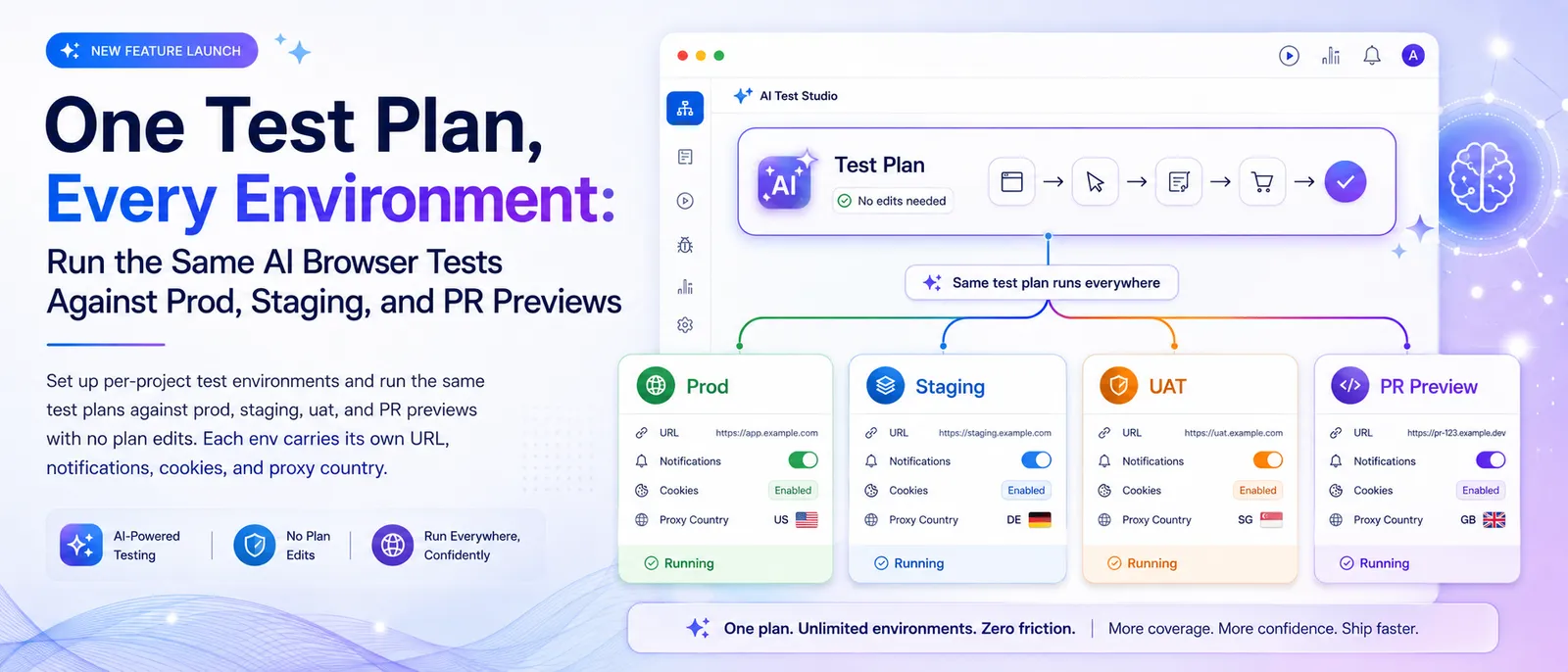
Most apps don't ship to one place. There's prod, there's staging, there's the uat box for stakeholder demos, and there's whatever per-PR preview deploy your platform mints when you open a branch. The same code, the same flows, four different URLs.
Test plans don't care about URLs. They care about behavior. "Sign up, confirm the email, land on the dashboard" is the same test on prod and on staging. The host changes, the assertion doesn't. But until today you had to either duplicate every plan with a different URL hardcoded into the prompt, or jam URL juggling into your CI script with sed and hope nothing drifted.
We shipped project environments to fix that. One project, many envs, the same plans run against any of them.
What we shipped
A project now owns one or more environments. Each environment is a named target (prod, staging, uat, preview-42, whatever you want to call it) with its own:
- Base URL that gets prepended to every test plan prompt
- HTTP webhook, Slack webhook, and Teams webhook, each with its own gating
- Test cookies and HTTP headers (so staging bypass tokens don't leak into prod runs)
- Default proxy country for geolocation
- Build ID URL template for deep-linking notifications back to the CI commit
You target an env at trigger time by name. The same plan that runs against prod from your nightly schedule runs against staging from your post-deploy hook and against preview-42 from your PR check, with no edits to the plan itself.
How URL substitution works
When an env has a URL set, it's stitched onto the front of every test plan prompt that runs against it:
Env URL: https://staging.myapp.com

Test plan: "Go to the pricing page and verify the free tier is listed"

Effective prompt: "This test run is for https://staging.myapp.com.

Go to the pricing page and verify the free tier is listed"
The plan stays written in terms of behavior. The env decides which host that behavior is checked against. Rename a domain six months from now and you change one field, not every plan.
What each environment owns
| Setting | What it does |
|---|---|
| Name | The string you target with the API (staging, uat, preview-42). Unique per project. |
| URL | Base URL prepended to every plan running against this env. |
| HTTP webhook | URL + auto-generated HMAC secret + notify-on gate (all / failed_only / failed_excluding_flaky). |
| Slack webhook | URL + notify-on gate. Independent from HTTP webhook. |
| Teams webhook | URL + notify-on gate. Independent again. |
| Build ID URL template | Pattern like https://github.com/me/app/commit/{buildId}. Notification messages link straight to the CI commit. |
| Test cookies | Pre-injected for testing authenticated areas. Per-env. |
| HTTP headers | Bearer tokens, API keys, bypass headers. Per-env. |
| Proxy country | Default geolocation for runs against this env. |
One env per project is flagged default. Calls to the run API without an env use it.
Targeting an env from the API
Pass env as a string in the run request:
# Run all plans in the project against staging
curl -X POST https://test-lab.ai/api/v1/run \
  -H "Authorization: Bearer tl_xxxxx" \
  -H "Content-Type: application/json" \
  -d '{"projectId": YOUR_PROJECT_ID, "env": "staging"}'
Want a specific plan against a per-PR preview deploy:
curl -X POST https://test-lab.ai/api/v1/run \
  -H "Authorization: Bearer tl_xxxxx" \
  -H "Content-Type: application/json" \
  -d '{"testPlanIds": [123], "env": "preview-42"}'
Omit env and every plan in the request resolves to its own project's default. That's the right call for the most common case (a CI run hitting prod with no special targeting).
Why we made the strict batch the default
When you pass env and use a batch selector (projectId or label) that fans out across multiple projects, the runner resolves the env name on every project up front. If any project is missing a live env with that name, the whole request rejects with a 404 listing the projects at fault. No jobs queue.
{
  "error": "Environment \"staging\" not found for project(s): 17, 23"
}
Failing loud is the safer default. The alternative (silently skip the projects without staging, run the rest, post a green check) is the worst possible outcome, because "the test passed" with half your suite quietly missing is an incident waiting to happen. A typo in your CI yaml shouldn't cost you that.
The CI matrix pattern
Once envs exist, the same plans wire into three or four CI hooks at different stages of the deploy pipeline. A typical matrix:
| Trigger | Env | What it tells you |
|---|---|---|
| PR open / push | preview-{prNumber} | Does this branch break the flows? |
| Merge to main | staging | Did the merge break anything once it's deployed? |
| Cron schedule | prod | Is production currently healthy? |
| Manual / pre-release | uat | Are stakeholder demos safe? |
Same plans across all four. The differences live in the env: prod posts to #prod-incidents and pages on red, staging posts to #qa-runs on every result, preview posts to #pr-bots only on failures, uat skips chat entirely and writes to a JIRA hook. Configure once per env, never touch the plans.
For PR previews, your CI job pulls the preview URL out of the deploy step and either matches an env you pre-created or creates one on the fly via the environments API. Then the test run targets that env by name.
A GitHub Actions example, post-deploy on staging:
- name: Run Test-Lab against staging
  run: |
    curl -X POST https://test-lab.ai/api/v1/run \
      -H "Authorization: Bearer ${{ secrets.TESTLAB_API_KEY }}" \
      -H "Content-Type: application/json" \
      -d '{
        "projectId": ${{ vars.TESTLAB_PROJECT_ID }},
        "env": "staging",
        "buildId": "${{ github.sha }}"
      }'
Same job template, swap staging for prod on the production deploy workflow, swap it for the dynamic preview name on PR workflows. The plan IDs never change.
Per-env notifications and auth
Two practical wins worth calling out separately:
Notification routing stops bleeding across envs. Before envs were a thing, every project had one webhook URL and one Slack channel. Either prod failures shared a channel with staging noise (and got missed), or you split everything into separate projects to get the routing right (and lost the ability to manage your suite as one thing). Now prod posts to PagerDuty and an oncall channel; staging posts to a noisy dev channel; preview-* posts only on failure to the PR-bot channel. The same project, the same plans, three different routes.
Test cookies and headers don't leak. A bypass token that lets you skip a paywall on staging is exactly the kind of thing that should never reach prod traffic. With per-env auth, you set the bypass on the staging env, set the real session cookie on prod, and the runner picks the right one based on the env you're targeting. No accidental cross-contamination.
Pipelines and envs
Pipelines (multi-step plans where pre-steps share browser state with the main test) inherit the env from the run request. Every step in the pipeline targets the same env. So a "log in, create a booking, verify the booking" pipeline can run end-to-end on staging by passing env: "staging", and the same pipeline runs end-to-end on prod when you flip it to prod. The login pre-step picks up the staging URL and any staging-only cookies; the main test inherits them. No mid-pipeline env switching, which would be both confusing and a security footgun.
Targeting envs from the dashboard
If you trigger runs manually, the Custom Run dialog includes an env picker whenever the project has more than one env. The default env is preselected; pick a different one and the run goes against that target instead. Useful for spot-checking staging after a deploy, or running prod smoke tests by hand when something feels off.
Migrating from a single-URL setup
If you've been running everything against a single project URL up until now, nothing breaks. Your existing project already has a default env (named prod unless you changed it) carrying all the URL and notification config you set up. Adding staging is the same flow as creating a new project, but lighter:
- Open the project, click + New Environment, name it
staging. - Set the staging URL and notification routes.
- Copy whatever test cookies / headers staging needs (often the same as prod plus one bypass token).
- From your CI, add
"env": "staging"to the run request that fires after staging deploys.
That's it. The plans don't change. The CI yaml grows by one line per env.
Why this changes the shape of your suite
A common anti-pattern with browser tests is one project per environment. "Acme prod", "Acme staging", "Acme uat". Each is a copy-paste of the others, drifting independently as people fix things in one and forget the other two. After a year you have three different ideas of what "the checkout test" is, and the prod version is the only one anyone trusts.
Envs collapse that. There's one project, one canonical set of plans, and three places those plans run. If you fix a flaky assertion or update a selector, you fix it once and every env benefits. The notification config sits beside the env, not inside the plan, so changing where staging alerts go doesn't touch a single test.
For teams running a few hundred plans across two or three deploy targets, the dashboard plan count drops by a factor close to the env count, and the maintenance burden drops with it. The expensive part of an E2E suite was never the second copy of the test, it was keeping all three copies in sync.
Try it
Project environments are live for every account today, on every plan tier. Existing projects keep working as-is, with a single default env carrying their previous config. Add a second env from the project edit page and you're running multi-env in five minutes.
The environments docs cover the full reference, including the strict-batch resolution, build-ID deep links, and how cookies merge across project, env, and test-plan levels. The run API reference walks through the env parameter, and the CI integration guide ties it all together for GitHub Actions and GitLab CI.
If you don't have a project set up yet, start a free trial and you'll land on a project with a default env already created. Add staging when you're ready. The same plans you write today will keep working when your deploy pipeline grows new targets next quarter.