
Open any mature E2E suite and you'll find the same email address scattered across forty test plans. qa-user@example.test in the signup test. The same string in the login test. The same string in the profile-edit test. A typo crept in three months ago, two of those tests still pass for the wrong reason, and nobody notices until the day someone changes the persona and has to grep across forty files to keep things in sync.
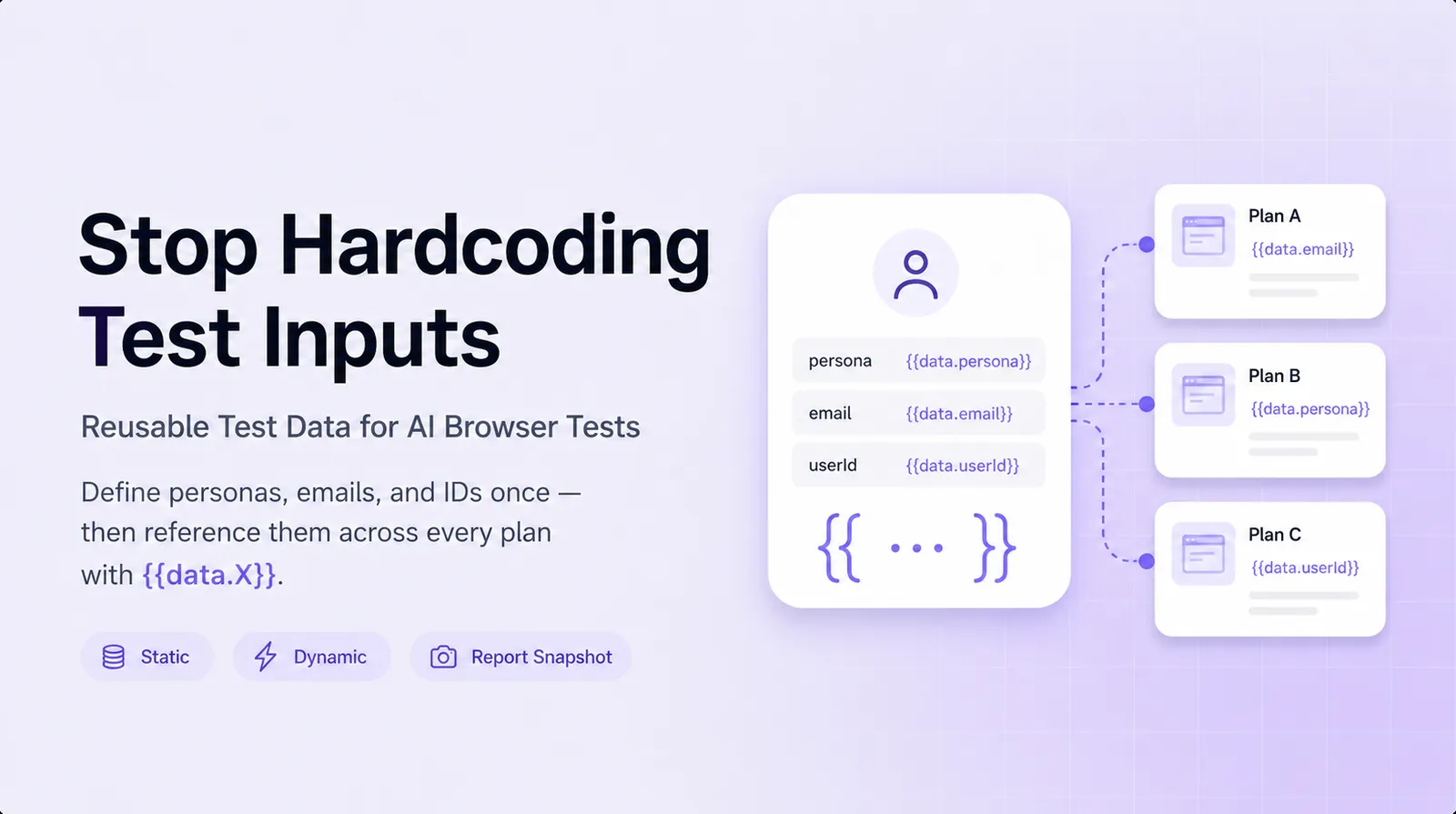
We shipped test data sets to make that problem go away. Define the persona once, reference it everywhere, change it in one place.
What we shipped
A new "Manage test data" modal on the Test plans page. You define data sets (think contact, admin_user, target_property) and inside each set you define fields (email, first_name, dob). Then any test plan prompt can drop in a reference:
Sign up as {{data.contact.first_name}} {{data.contact.last_name}}
with email {{data.contact.email}} and date of birth
{{ data.contact.dob | format: 'YYYY-MM-DD' }}.
References are filled in with real values at run time, so your tests always work against actual data. The resolved values are frozen into the run report so you can verify exactly what was used.
Data sets are usually defined at the account level so every plan can use them; if you need a value to differ inside one project, redefine it there and that project's plans pick it up.
Static vs Dynamic
Each field has a mode that decides when its value is fixed:
| Mode | When the value is decided | Use for |
|---|---|---|
| Static | Once, when you set it. Stays the same on every run until you change it. | Stable personas that need to log in as the same user every time |
| Dynamic | On every run. A fresh value is auto-generated each time. | Per-run uniqueness without an extra template (a fresh email every run) |
Static fields are the obvious case. Dynamic fields are the killer feature for signup tests, contact-form submissions, and anything else that creates a new record on every run. Pick a value type once (email, UUID, full name, ZIP code, alphanumeric of length N) and every run fills a fresh value of that shape.
Templated static values
A static field's stored value can itself be a template. Embed {{run.timestampMs}}, {{run.shortId}}, or any other run-context token for per-run uniqueness with full control over the shape:
contact.email = "qa.{{run.timestampMs}}@example.test"Now every run substitutes a fresh email that starts with the prefix you control. Two runs of the same plan create two different records (same as Dynamic mode would), but the format is your choice rather than the value-type generator's choice.
This matters when your app validates inputs against a specific pattern. A generic auto-generated email might be Charlie.Reichert99@hotmail.test, which is fine for a generic signup but wrong if your support team filters on the qa. prefix to clean up automation traffic.
Pipeline coordination
Multi-step pipelines share browser state across steps. They also share data: when a pipeline references a Dynamic field, every step in the pipeline sees the same generated value. Step 1 creates the contact, step 2 finds the contact, step 3 verifies the contact's email, all with the same record.
If you need per-step values, use a static field. Each step's {{run.X}} resolves to that step's own run, so a templated static value like qa.{{run.shortId}}@example.test differs per step.
If you need a value that's identical across steps but unique across runs, switch the template from {{run.X}} to {{pipeline.X}}:
contact.email = "qa.{{pipeline.timestampMs}}@example.test"{{pipeline.timestampMs}} is set once per pipeline run and shared across every step. Step 1 creates qa.1715442200000@example.test, step 2 looks for the same address, step 3 reads its email on the dashboard. The next run produces a different timestamp. No coordination code, no shared variables, no flakiness from one step racing ahead of another.
Reading the resolved values back
Every run report includes a Test data used panel. It shows the resolved values that were substituted into that particular run, frozen with the run. Editing the data set after the fact never changes what's shown for past runs.
For multi-step pipelines:
- Test data: each step shows its own snapshot, because different pre-steps may live in different projects with their own overrides.
- Pipeline values: every step shows the same
{{pipeline.X}}snapshot, because pipeline values are set once and shared.
This makes debugging concrete. If a step failed, you can see whether the value that went in matched what you expected, before chasing the failure into the trace viewer.
Where you can reference data
{{data.<set>.<field>}} is accepted anywhere a test plan takes free text:
- The prompt itself
- Cookie values
- HTTP header values
- Pre-step input values
- Another data set's stored value (templates can chain)
Click Insert value below the prompt textarea to pick from a grouped list of every credential, fixture field, run token, and pipeline token in scope. The picker shows resolved samples next to each reference so you don't have to guess what {{data.contact.dob | format: 'DD.MM.YYYY' }} produces at run time.
Value types
Click Generate on a new field to auto-fill a sample value, or pick a type from the dropdown:
- People: first name, last name, full name, job title
- Internet: email, username, URL, IPv4
- Phone
- Location: street address, city, state, ZIP code, country
- Company: company name
- Lorem: word, sentence, paragraph
- Dates: past date, future date
- Strings: UUID, alphanumeric (configurable length)
- Numbers: integer (configurable min/max)
- Boolean
The same list works for Dynamic mode. Pick the type once, every run gets a fresh value of that shape.
A worked example
Say you're testing a CRM. You need a stable admin user that logs in every run (the platform won't let you create a fresh admin per run), plus a brand new "lead" contact that gets created and deleted each time.
Set: crm
  admin_email   = Static, "qa-admin@yourcrm.test"
  admin_pass    = Static, (hardcoded password)

Set: lead
  email         = Static, "lead.{{run.timestampMs}}@example.test"
  first_name    = Dynamic, type=first_name
  last_name     = Dynamic, type=last_name
  phone         = Dynamic, type=phone
A signup-then-find-lead pipeline now reads:
Step 1: log in as {{data.crm.admin_email}} / {{data.crm.admin_pass}},
        then click New Lead and create a contact with email
        {{data.lead.email}}, first name {{data.lead.first_name}},
        last name {{data.lead.last_name}}, phone {{data.lead.phone}}.

Step 2: search for {{data.lead.email}} in the contact list and
        verify the result row shows {{data.lead.first_name}}.
The admin value is fixed for every run. The lead values are fresh per run, identical between step 1 and step 2 (pipeline-shared). The same plans run on prod, staging, and PR-preview envs without edits, because the env owns the URL and the data set owns the persona.
Try it
Test data is live on every account today, on every plan tier. From the Test plans page, click Manage test data in the header. Existing plans keep working unchanged. Adding a data set takes about a minute.
The test-data docs cover the full reference, including resolution order, the date-format filters, and how chained templates resolve. If you've been duplicating the same email across forty plans, this is the migration that pays you back the first time you need to rotate it.