
When we launched Playwright script generation, the promise was specific. Drive a flow once with an AI agent, click a button, and get a real Playwright script you can check into your repo and run forever after at deterministic cost. No model in the hot path on every CI build. The shape was right, and teams adopted it fast.
The first version did not always deliver a script worth keeping. Sometimes the generated test passed because it barely checked anything. Sometimes a selector was a little too clever and broke the first time the page shifted. Sometimes the script leaned on data from an earlier run and tripped over its own history. We shipped it as a beta on purpose, watched what came out the other end, and kept a close eye on every script the pipeline produced.
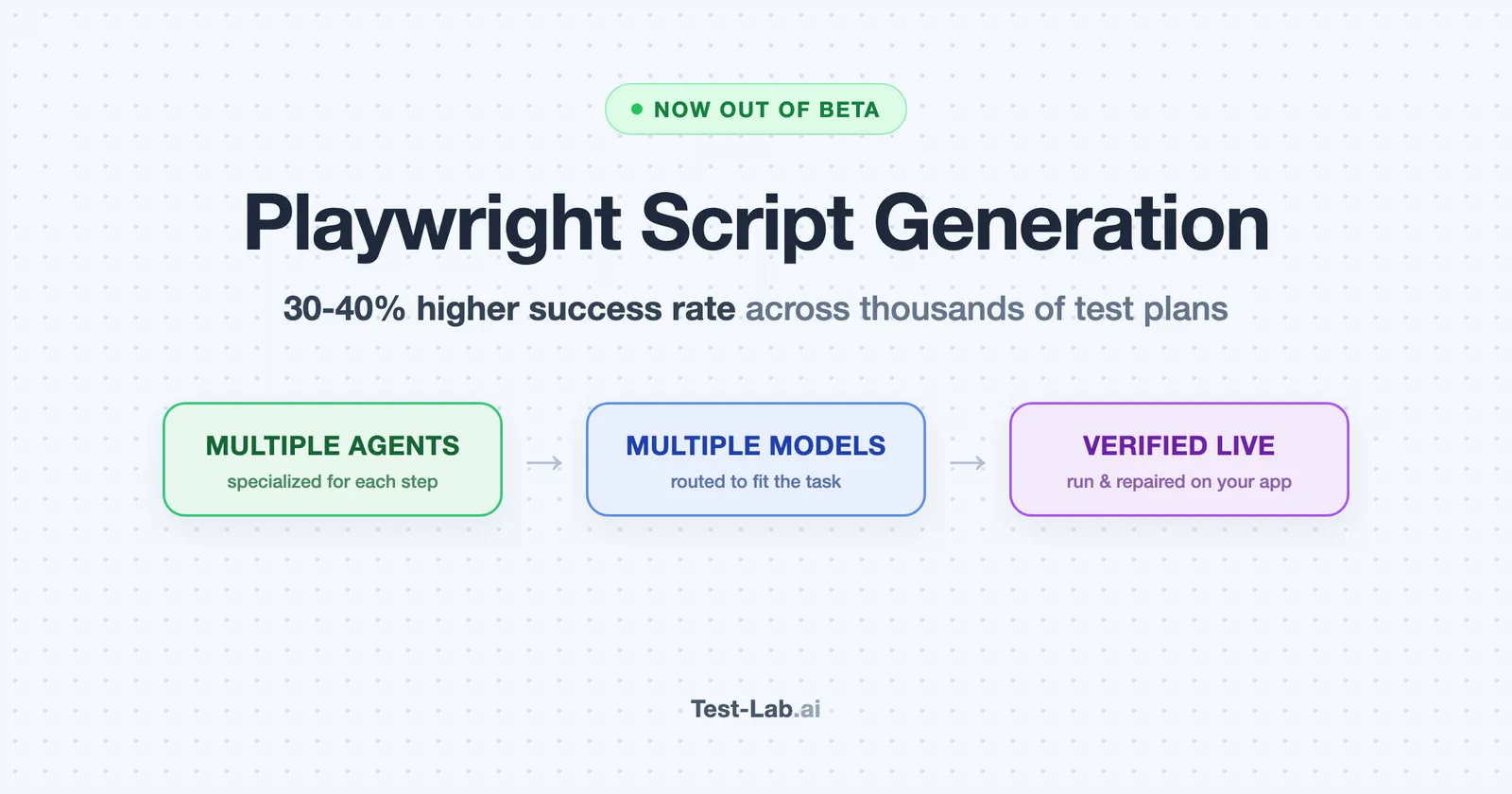
Since then we have run thousands of real test plans through it, against real production apps, and rebuilt the pipeline around what we saw break. Today, Playwright script generation leaves beta. Across the plans we generated scripts for, the share that land clean and actually verify the flow they describe is up by 30 to 40 percent.
What leaving beta means
Three things, concretely:
- Generation is the default path now, not an opt-in experiment. The Beta tag is gone from the product.
- It runs on every paid plan that includes script generation, at the same price.
- We hold every generated script to a bar it did not have to clear before. It has to run against your app and verify the outcome of the flow, not just reach the end of it without crashing.
If you generated scripts during the beta, nothing you saved breaks. The pipeline that produces new scripts is what changed.
What thousands of test plans taught us
Running the same pipeline across thousands of plans on real apps surfaced a handful of failure modes that never show up on a toy page. Each one became a fix.
A script that passes is not the same as a script that tests something. Our own model benchmark caught this one in public: on a simple flow, a model produced a script that clicked Save, took a screenshot, and asserted nothing about whether the record was actually created. It passed every time, including when the underlying feature was broken. The pipeline now authors assertions that map to the acceptance criteria of the plan you wrote, and it verifies the outcome of each step rather than just the fact that the page survived it.
Fragile locators break on the first UI shift. A selector that pins to a deep position in the DOM or matches an ambiguous role looks fine the day it is written and rots the first time a developer touches the layout. The pipeline now prefers stable, human-meaningful anchors, tags the genuinely fragile ones so you know where the risk is, and refuses the patterns that almost always go stale.
Scripts that lean on leftover data trip over their own history. When a step creates a record with a generated name or id, a naive assertion searches the whole page for that text and matches an orphan from a previous run. Strict mode fails, the script burns retries, and the run lands incomplete. The pipeline now anchors each assertion to the exact record the run created, so it is immune to whatever else happens to be on the page.
Generating blind is a coin flip. Verifying live is not. This is the biggest change. Every generated script is now executed against your app as part of generation, and repaired in place when a step does not stick, before the script ever reaches you. A locator that looked right but did not resolve gets caught and fixed during generation instead of on your first CI run.
Multiple agents, multiple models
The single biggest reason the success rate moved is that we stopped asking one model to do every job.
Authoring a clean script, deciding what to assert, finding a durable locator, and repairing a step that failed are different tasks with different cost and reasoning profiles. We split them across specialized agents, each with one narrow job, and we route each agent to the model best suited to its task. Fast, inexpensive models handle the high-volume, low-ambiguity steps. Deeper reasoning models are reserved for the moments where they earn their cost, like untangling why a step failed and proposing a fix that holds.
We benchmark those models against real production plans on a regular cadence. The Opus 4.7 vs GPT-5.5 writeup and the eleven-model browser automation benchmark are two recent ones, and we move work between models as the numbers shift. The point is not which model is best in the abstract. It is matching each step to the cheapest model that does it reliably, and keeping the expensive reasoning where it actually pays off.
About that 30 to 40 percent
The honest version of the headline number.
We measure success as the share of generation attempts that produce a script which runs clean against the target and verifies the flow described in the plan. Across the test plans we generated scripts for, that share is up 30 to 40 percent compared with the original beta pipeline. The largest gains landed exactly where the old pipeline struggled most: trivial passes that checked nothing, fragile locators, and assertions that matched orphaned data.
A few caveats, in the spirit of our benchmarks:
- The gain is not uniform. Simple flows were already close to solid. The lift is concentrated in multi-step plans and create-or-edit flows.
- A higher success rate is not a promise of perfection. Some flows are genuinely hard to pin to a deterministic script, and when the pipeline cannot land one with confidence, it tells you so instead of handing you a script that passes for the wrong reason.
- Real apps move. The number reflects the mix of plans and apps we actually see, not a fixed harness.
What you get today
The loop is the same one we have always pitched, with a sturdier engine underneath:
- Write a plain-English test plan.
- Run it once with the AI agent until it passes.
- Click Generate Script. The pipeline authors the spec, runs it against your app, and repairs it before handing it back.
- When the UI shifts and the script breaks, review the proposed heal and accept or reject it.
- When you want different behavior, refine the script in chat and review the diff before saving.
Every run still produces a full Playwright trace you can replay in the browser, so when something does go wrong you can scrub to the exact step and see what the agent saw. The script generation docs cover the whole workflow with screenshots.
Try it
If you were waiting for script generation to leave beta before putting it in front of your suite, this is the moment. Pick a real flow on your app, run it once with the AI agent, and click Generate Script. You get a script that has already been executed and repaired against your app, with assertions that check the outcome rather than the absence of a crash.
Start a free trial and head to the test plan reports. Every new account gets $3 of free credit, enough to author and run a handful of real scripts and see the difference for yourself.