
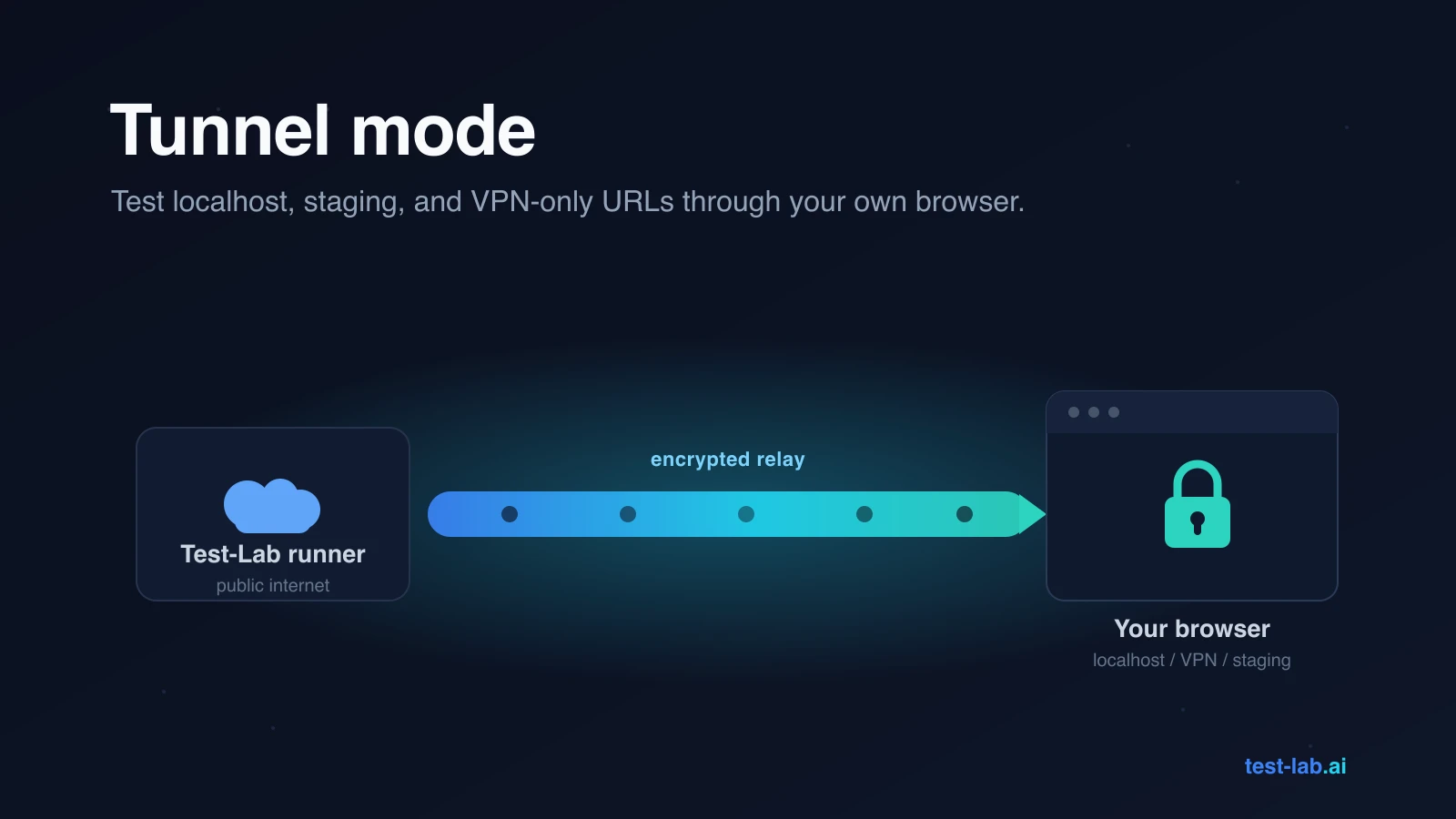
Most of the apps worth testing are not on the public internet yet. They are on your laptop at localhost:3000, on a staging box that only resolves through the company VPN, or behind an SSO login that only trusts a known office IP. Point a cloud test runner at any of those and you get the same answer: ERR_CONNECTION_REFUSED.
Test-Lab's runners live on the public internet, which is great for testing production and useless for testing everything that comes before it. The Tunnel extension closes that gap.
The runner cannot reach your network. Your browser can.
Tunnel mode routes the browser traffic for a single test run through a Chrome extension installed on your machine. Instead of our runner dialing the URL directly, each request is relayed to your browser and re-issued from there. The destination sees a request coming from your network, not ours. Anything you can open in a tab, the test can open too.
Nothing else about the run changes. The AI agent, the screenshots, the trace, and the report all stay on our side. Only the network hop moves to your machine.
What it reaches
Turn it on when the URL you are testing is:
localhostor127.0.0.1, a dev server running on your own laptop.- A private IP or internal hostname that only resolves on corporate DNS.
- Behind a VPN like Tailscale, NordLayer, ZScaler, or a corporate gateway.
- Behind SSO that is IP-locked, where access requires a known office address.
If a run ever failed with ERR_NAME_NOT_RESOLVED, ERR_CONNECTION_REFUSED, or a connection timeout, this is almost always the fix.
It is still a real browser test
The relay carries the whole exchange, not a stripped-down version of it. Status codes, headers, redirects, multiple Set-Cookie headers, CORS preflights, large and binary response bodies, and full HTTPS all come through intact.
It only touches the tests you tell it to
The extension is not a window into your browsing. It relays traffic for the test runs you authored and nothing else:
- It does not read or change your normal tabs.
- It does not borrow cookies from your real profile. Relayed requests carry only the cookies your test plan sets.
- It goes quiet the moment no tunnel-enabled test is running.
The traffic flows over an authenticated connection between your browser and our infrastructure, and you can disconnect or uninstall it from the popup at any time.
The one catch
The browser has to be open while the test runs. The relay lives in the extension, so if you quit Chrome or your laptop goes to sleep mid-run, the run loses its path to your network and fails. For scheduled or unattended runs, keep the extension running on a machine that stays awake.
Try it
Install Test-Lab.ai Tunnel from the Chrome Web Store, click the icon, and sign in with your test-lab account. A green Connected status means the relay is live. Then open any test plan, expand Advanced Settings, and check Tunnel mode. Every run of that plan now goes through your browser.
The full walkthrough, including the privacy details and troubleshooting, is in the Tunnel mode docs.
Your app was always reachable from your desk. Now your tests can run from there too.