
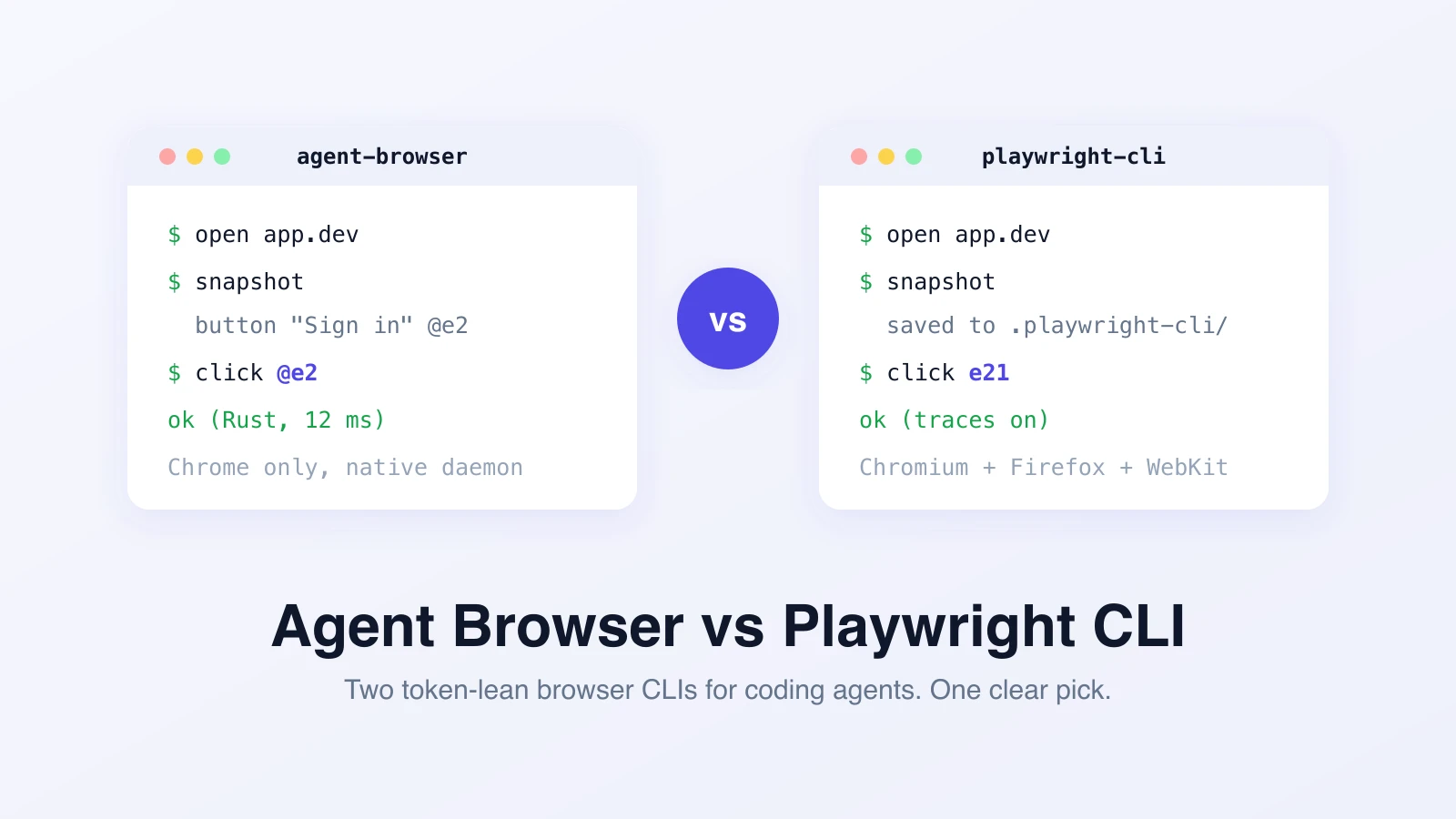
Vercel's agent-browser and Microsoft's Playwright CLI are two answers to the same question: how does a coding agent drive a real browser without burning its context window? If you are weighing agent-browser vs Playwright CLI, the short version is that they share a design and differ in engine and surrounding tooling. Pick agent-browser for the fastest Chrome-only loop inside Claude Code or Cursor. Pick Playwright CLI when you need Firefox and WebKit coverage, Playwright traces, or your team already runs on Playwright.
The rest of this post is the detail behind that pick.
Why both of these exist
MCP browser servers stream full page snapshots into the model's conversation history. On a complex page a single snapshot runs tens of kilobytes, and after thirty steps the agent is drowning in stale accessibility trees. We measured that gap in Playwright MCP vs Playwright CLI: the CLI approach used 4 to 10x fewer tokens on the same flows.
Both tools in this comparison sit on the winning side of that split. The agent runs a short shell command, gets a short response, and only pulls page structure into context when it actually needs to reason about it. The difference is what sits behind the command.
What agent-browser is
agent-browser is Vercel Labs' browser automation CLI, built for exactly one audience: coding agents that already have shell access. The client is a native Rust binary. Behind it sits a Rust daemon that talks Chrome DevTools Protocol directly, keeps the browser alive between commands, and serves multiple isolated sessions at once. There is no Node process in the hot path.
The loop looks like this:
agent-browser open https://app.example.com
agent-browser snapshot            # accessibility tree with @e1, @e2 refs
agent-browser click @e4
agent-browser fill @e7 "hello@example.com"
agent-browser screenshot /tmp/after.png
A snapshot returns the interactive elements with compact refs like @e4. The agent acts on refs, not selectors, and re-snapshots after navigation. On typical pages that keeps a full look-and-act cycle in the low hundreds of tokens.
Beyond the basics, the features that stand out in practice:
find role button "Submit"lets the agent target elements semantically without taking a full snapshot first.batchruns several commands in one invocation, which cuts process startup overhead in long flows.- Sessions and profiles:
--session agent1gives each concurrent agent its own cookies and storage, and saved state files can be encrypted. network routeintercepts and mocks requests, andreact treeinspects component structure on React apps.- A built-in MCP escape hatch:
agent-browser mcpstarts a stdio MCP server when a sandboxed client cannot run shell commands.
Install is npm install -g agent-browser (or brew, or cargo), then agent-browser install to pull down Chrome for Testing. Claude Code, Cursor, Windsurf, and Copilot pick it up as a skill via npx skills add vercel-labs/agent-browser.
What Playwright CLI is
@playwright/cli is Microsoft's command-line face for the same idea. Same shape: shell commands in, short confirmations out, element refs like e21 instead of raw selectors.
playwright-cli open https://app.example.com
playwright-cli snapshot           # saved to .playwright-cli/ as YAML
playwright-cli click e21
playwright-cli tracing-start
The structural difference: Playwright CLI writes snapshots to disk as YAML files instead of printing them, so the model reads the file only when it wants detail. And it sits on the full Playwright engine, which brings the surrounding tooling with it: named sessions (-s=name), persistent profiles, route/unroute mocking, storage state save and load, video capture, and real Playwright traces via tracing-start and tracing-stop.
That last one matters more than it looks. A Playwright trace is a complete, replayable record of a run: every action, every DOM state, every network request, viewable in the trace viewer your team may already use. If traces are your evidence format, the CLI produces them natively.
The differences that matter
| Dimension | agent-browser | Playwright CLI |
|---|---|---|
| Maintainer | Vercel Labs | Microsoft |
| Engine | Direct Chrome DevTools Protocol, Rust daemon | Playwright |
| Browsers | Chrome (Chrome for Testing) | Chromium, Firefox, WebKit |
| Snapshot destination | stdout, compact refs (@e1) | YAML file on disk (e21) |
| Startup | Native binary, persistent daemon | Node process |
| Batching | batch command, several steps per call | One command per invocation |
| Evidence | Screenshots, live preview streaming | Screenshots, video, full Playwright traces |
| Network mocking | network route | route / unroute |
| Sessions | --session, profiles, encrypted state | -s=name, persistent profiles, storage state |
| MCP fallback | Built in (agent-browser mcp) | Separate package (@playwright/mcp) |
| Install | npm, brew, or cargo + agent-browser install | npm |
When to pick agent-browser
- Your agent is a coding agent in a terminal (Claude Code, Cursor, Codex) and Chrome-only coverage is fine.
- You care about loop speed: native startup, a warm daemon, and batched commands make a difference across hundreds of steps.
- You run several agents in parallel and want cheap session isolation.
- You want one tool that can serve both shell-first and MCP-first clients.
When to pick Playwright CLI
- You need to check Firefox or WebKit, not just Chrome.
- Traces are how your team debugs. Playwright traces from the CLI drop straight into the trace viewer workflow.
- Your repo already contains Playwright specs, fixtures, and CI jobs, and the CLI slots into the same toolchain.
- You are building toward deterministic CI runs rather than interactive agent sessions.
What neither one gives you
Both tools solve the loop. Neither solves the job around the loop: running the same checks on a schedule, keeping evidence somewhere a teammate can find it, retrying flaky steps, tracking pass rates across environments, and turning "the agent clicked around" into a report someone can act on.
That layer is what we build at Test-Lab. Describe a test in plain English, and we run it with an agent, capture screenshots and traces, and keep the history. Your own coding agent can trigger and read those runs too, over our MCP server, so the CLI-vs-CLI choice above stays a local-dev decision instead of your production QA architecture.
Want browser tests that run themselves while your agent writes code? Try Test-Lab free and have your first test running in minutes.
Related reading:
- Playwright MCP vs Playwright CLI - the token math behind the CLI-first design
- Chrome DevTools MCP vs Playwright MCP vs CLI - the debugging-first angle on the same tool family
- Which LLM is best for browser automation? - 11 frontier models benchmarked on a real production plan
- The best AI QA tools in 2026 - an honest, ranked comparison of the wider field