
Most product demos are a video or a sales call. You watch someone else click around, or you wait on a calendar invite. We wanted you to just see the thing.
So now you can. There is a "See demo account" button on the homepage. Click it and you land inside the real admin, scoped to a demo account we keep stocked with real tests. No signup, no email, no credit card. You get two hours to look around.
What you are looking at
You drop straight into the dashboard, the same one a paying account sees. From there:
- Projects and environments - how a real account is organized, one app split across staging and production.
- Test plans - the test cases themselves, written in plain English. Open any of them and read exactly what we ask the agent to check.
- Runs - where it gets interesting. Every run carries screenshots and the agent's step-by-step reasoning, so you can see what it clicked, what it saw, and why it called a step passed or failed.
- Builds - the runs tied back to the commit that triggered them.
Click into a run report and you are looking at the actual artifact our team reads every day, not a mockup.
These are real test cases
The plans in the demo are not filler. They are written the way we write our own: a URL, a few plain-English steps, and the acceptance criteria that decide pass or fail. No selectors, no code. If you have ever wondered what "describe your test in English" looks like in practice, open a couple and read them. That is the whole format.
It is also the fastest way to judge whether this fits your app. You are reading the input and the output side by side: the plan we wrote, and the report it produced.
It is the setup we run in CI
Here is the detail we think matters most. The demo account is not a stage set built for visitors. It is a working suite that runs on our own deploys.
Every time we ship, CI fires these tests against the new build before it reaches anyone. We run them on a schedule between deploys too, as a health check. When something breaks, the run report you are browsing in the demo is the same report that tells us what broke and on which commit. Our CI integration is how it gets wired up: one API call from the pipeline, results posted back over a webhook.
So the demo is really a window into how we test test-lab with test-lab.
Mostly script runs, on purpose
Look closely at the run history and you will notice most of those runs are Script runs, not AI agent runs. That is deliberate, and it comes down to cost.
An AI agent run is the expensive one. A model drives the browser, reasons about each step, and decides what passed. That is exactly what you want while you are authoring a test, or when a flow has genuinely changed. Paying for that reasoning on every single deploy is overkill.
So once a test passes with the agent, we turn it into a real Playwright script with one click. A script run has no model in the loop. It just replays the recorded steps, so the AI cost drops out entirely and the script becomes the cheap thing to run over and over. The Scale plan includes unlimited script minutes. Script generation handles the conversion, and if a script breaks because the UI moved, a Heal button patches it with AI instead of starting from scratch.
The pattern we settled on, and the one the demo reflects: author with the agent, run with scripts. You spend on the reasoning once, when you write or heal a test, and the replays on every deploy cost next to nothing. That is what makes testing on every deploy actually sustainable.
How we handle the flaky ones
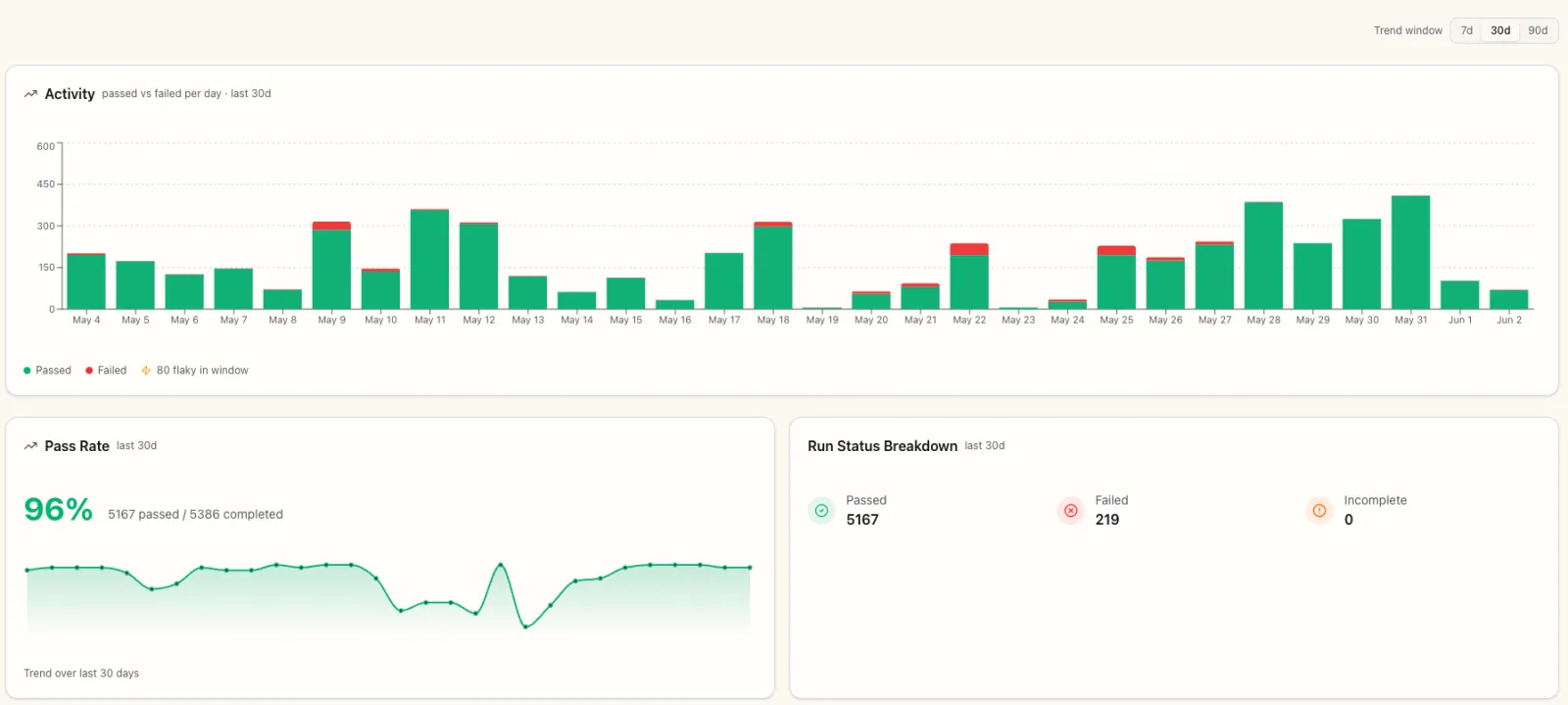
Run anything thousands of times against a real app and some runs will flake. A network blip, a slow render, a race the test only loses once in a while. The demo shows it plainly: there is a flaky count right on the activity chart for the window you are viewing.
We do not leave that to a person to babysit. A failed run gets retried and the attempts are tracked as a chain. A run that failed and then passed on retry is tagged "Recovered after retry"; one that has been intermittent across its history is tagged "Intermittent in history." Marking those as flaky, rather than counting them as clean failures, keeps a real regression easy to spot. A plan that keeps flaking picks up a Flaky tag that clears itself after five clean runs in a row.
Because a flaky failure is not a broken feature, you can set notifications to fire on real failures and stay quiet on the flaky ones, which is the difference between a channel people read and one they mute. When you want to fix the root cause, test-lab pulls evidence from a passing run in the same chain and suggests a change to the script. There is more on the whole approach in our flaky test guide.
Try it
Open the demo account and start on the Runs page. Open a report, scrub through the steps, then go read the plan that produced it. Ten minutes there will tell you more than any video we could record.
When you are ready to point it at your own app, start a free trial. Every new account gets $3 of free credit, enough to write a plan, run it with the agent, and turn it into a script you keep.